
Discontinued - iZotope VocalSynth with Free Upgrade to Vocalsynth 2
This listing has ended
See similar gear from other Reverb sellers

Our users rate Reverb
Classic vocal manipulation and some additional soon-to-be classics.
What it is:
A series of vocal effectors from beautiful layering to detuned synth-like vox.
How we use it:
Spice up existing vocal tracks to fill up a mix or pull it up before recording and sing with some synthesis.
Why it's cool:
VocalSynth gives vocalists and experimentalists alike the ability to manipulate their signal paths to the same extent of your typical guitarist, etc.
Purchase and register between 5/10 - 5/22 to receive a free update to Vocalsynth 2 upon its release.Think outside the vox.
Ready for a transformative vocal experience? With VocalSynth, iconic vocal sounds from decades past and the wild vocal sounds you’ve only heard in your head are finally within reach.
Manipulate your voice to create electronic vocal textures, robot sounds, computerized harmonies, vocoder and talkbox effects, thick octaves or doubles, and everything in between.
Unique vocal effects have driven hit songs and launched careers. It’s time for your vocals to stand out, too.
Key Features
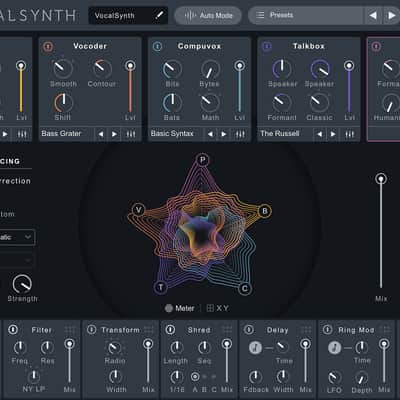
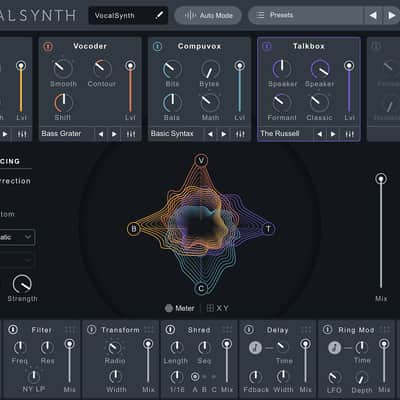
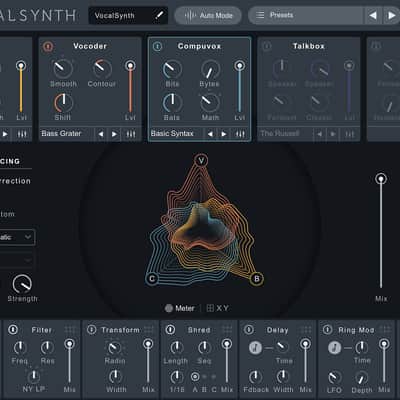
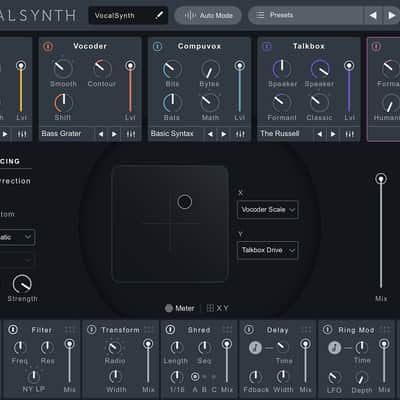
- Four vocal engines: Get robotic vocals (Vocoder), organic harmonies (Polyvox), glitchy digital speech (Compuvox), and singing synthesized sounds (Talkbox).
- Specialized vocal effects: Add edgy or tasteful distortion, filters, speaker convolution modeling, beat-repeating madness, and wide stereo delays.
- Pitch correction: Correct off-key notes in your vocals with real-time pitch correction with natural-sounding results.
- Streamlined voice generation: Add harmonies, octaves, or unisons in Auto mode, or get the exact harmony voicings you want.
- Presets: Quickly access classic sounds you’ve known and loved, plus distinctive new combinations of all four vocal engines.
Your favorite vocal sound or your next favorite
Gripping vocals can drive a track from great to epic. Quickly find that unique sound you've been looking for — or experiment and uncover a wild vocal treatment you never even knew you wanted!
Carefully designed presets unlock iconic vocal sounds like hardware vocoders, classic talkbox, vintage computer voice chips, or formant and pitch-shifting effects. Plus, Global Presets combine all four engines and the effects modules, opening the door to the next new sounds.
From one voice, many
Build your backing choir from just a lead vocal. VocalSynth can create additional voices to fill out a composition and add depth and impact to your chorus or bridge. Introduce pitch and timing inconsistencies to make more human and natural sounds.
It’s not hard to skip the hardware
Traditional vocoders and talkboxes are tricky pieces of hardware (and PVC tubing!) to master. VocalSynth gives you quick access to the classic sounds, with less sweat and no drool at all.
Compatibility
VocalSynth runs as a plug-in within your digital audio workstation. VocalSynth is not a standalone application.
Operating system requirements
Windows: 7, 8, and 10
- Mac: OS X 10.8, 10.9, 10.10, 10.11
VocalSynth may require higher CPU resources when running every module at sample rates of 96 kHz or higher. At these sample rates, we recommend:
2.8 GHz Intel Core i7 (or comparable)
- VocalSynth’s Wave-meter requires a graphics card that supports Open GL 2.0
AAX (64-bit), AAX AudioSuite (64-bit), RTAS (32-bit), DPM AudioSuite (32-bit), VST2, VST3, and Audio Unit.
Plug-in host compatibilityPro Tools 10.3.1, Pro Tools 11.3.1, Pro Tools 12.4, Ableton Live 9.5, Logic Pro X, Cubase Pro 8.5, REAPER 5.11, Studio One 3.1.1, FL Studio 12.2 and more
Installation Instructions
General Instructions:
- We auto-detect your computer operating system, so just click the download button above.
- Find the downloaded plugin (it's in your computer's download folder, or wherever you've chosen to save it) and double click the installer.
- A plugin installer window will open. Simply go through the installation process.
- We will also send you an email with a link to re-download in case you need it.
- If Ableton Live is closed, open it and skip to #5.
- If Ableton Live is already open, go to Preferences.
- Go to Files & Folder.
- Click "Rescan plugins".
- Find the plugin in the Ableton plugins folder in the sidebar.
- Drag-and-drop the plugin onto your track at the bottom of the screen.
- Open Logic Pro X. Newly installed plugins should be detected automatically every time Logic is opened.
- If you've downloaded an effect or utility plugin, these can be used on an insert for any track in the mixer.
- Create a software instrument track if you downloaded a virtual instrument plugin.
- Under Default Patch, go to AU Instruments and choose the plugin you just installed.
- Open Pro Tools. Newly installed plugins should be detected automatically every time Pro Tools is opened.
- If you've downloaded an effect or utility plugin, these can be used on an insert for many types of tracks (Audio, Aux, Instrument, Master Fader...)
- If you’ve downloaded a software instrument, create a new Instrument track.
- Navigate to the Mixer and locate the newly created Instrument track.
- Select the desired instrument plugin by clicking on any of the Inserts on the Instrument track.
- Go to the Reverb SYNC Software and plugin Collection.
- Choose your desired plugin.
- Reverb will auto-detect your platform, so simply click the download button.
- Continue the installation process by following the prompt.
- Hover your mouse over the smart control button.
- Click Show Inspector icon.
- Click on plugins and choose your desired plugin.
What's new?
Latest Version: VocalSynth 1.0.0 released May 18, 2016.