Ample Sound Ample Bass P II Lite
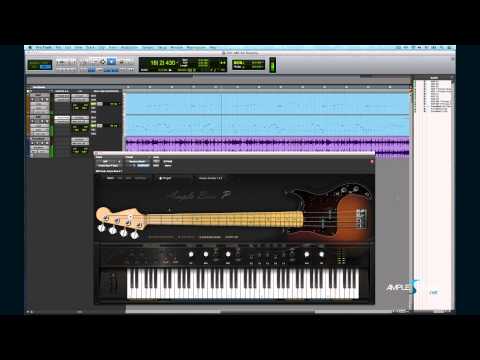
Ample Sound Ample Bass P II Lite
PriceFREE
Incl. VAT
Instant Download
This listing has ended
See similar gear from other Reverb sellers
Listed:over a month ago
Views:483,731
Saves:450
Downloads:149,278

Chicago, IL, United States
Our users rate Reverb
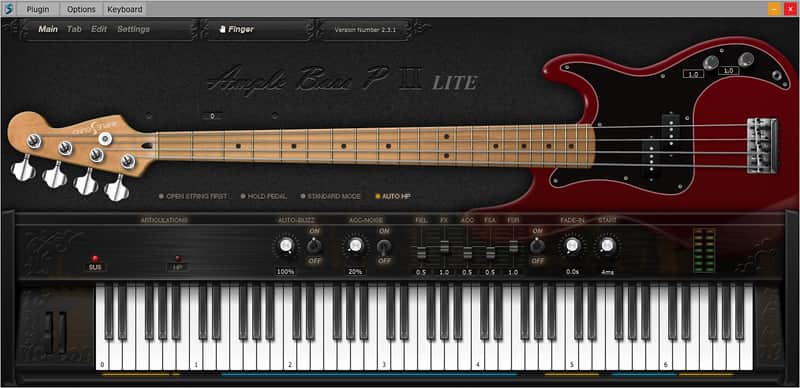
Play and sequence the authentic sound of a Fender Precision Bass.
Compatibility
Windows
Installation Instructions
General Instructions:
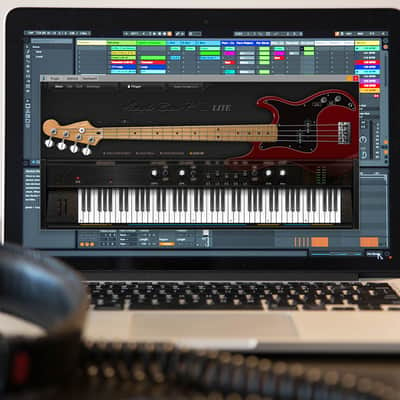
How to install plugins in Ableton Live:
What it is:
An expertly sampled Fender Precision bass guitar virtual instrument played via MIDI.
How we use it:
Quickly capturing great bass riffs for jamming over.
Why it's cool:
Smart programming makes it sound like a real bass player.
Sampling
- Sustain, Palm Mute, Natural Harmonic, Hammer On & Pull Off, Legato Slide, Slide in & out, Slapping, Popping, Tapping, Accentuated, Staccato, Dead Note 14 articulations, Legato at random length & pitch & poly
- Each Cycle & Rhombic Sampling structure - Separate sample cycle for each note and velocity layer to improve sample utilization
- Rich Fingering Noise - more vivid and realistic
- 2851 Samples, Size: 3.60 GB, 24bit 44.1khz
- DFD (Direct from disk)
Technology
- New technology: Auto Buzz system
- Groovy Single-Note bass line
- Alternate Tuner & lowest to B
- Capo Logic - Intelligent play according to bass rules
- CPC (Customized Parameters Control), any button/knob/etc. can be controlled by MIDI CC or Automation
- Poly Legato
- Slide Smoother
- Combined Keyswitches - combine 2 articulations via pressing 2 keyswitches at the same time
- Open String First Function
- Manual vibrato wheel designed specifically for string instruments
- Capo - Transpose without need to modify midi.
Tab Player:
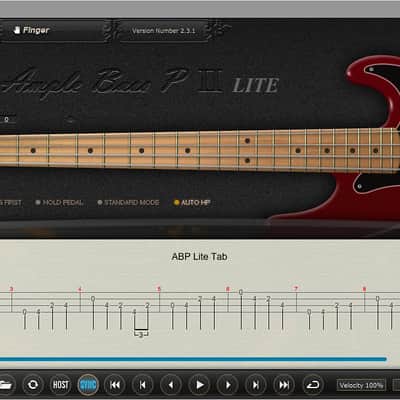
- The Tab Player can load and play several prevalent guitar\bass tablature file formats. Users can load, display and playback any specific track inside a tablature file. When used in DAWs, the Tab Player also allows users to export the tablature as an audio file.
- The Tab Player supports all the fingering, looping, chords, articulations and other markers in the loaded tablature. Supported articulations include: Strum, Natural Harmonic, Artificial Harmonic, Hammer On/Pull Off, Trill, Bend, Tremolo Bar, Legato Slide, Slide In, Slide Out, Vibrato, Tremolo Picking, Palm Mute, Slapping, Popping, Tapping, Let Ring, Staccato, Dead Note, Grace Note, Ghost Note, Accentuated Note, Fade In, etc.
- As a built-in function, the Tab Player works seamlessly with the Ample Sound instrument engine, which has extremely customized guitar playing logic so as to model a real world guitar being played. The Tab Player can even judge on its own to automatically add some refining articulations when it thinks it is appropriate, such as slapping on strings or body, or other realistic and indispensable noises.
Compatibility
Windows
- Windows Vista or newer
- Pentium 4 or Athlon processor with 2 GB RAM
- Mac OS X 10.7 or higher
- Intel-based Mac with 2 GB RAM
- 3 GB of free hard disk space required
- Stand-alone version included
Installation Instructions
General Instructions:
- We auto-detect your computer operating system, so just click the download button above
- Find the downloaded plugin (it’s in your computer’s download folder) and double click it
- A plugin installer window will open, so go through the installation process
- We will also send you an email with a link to re-download in case you need it
How to install plugins in Ableton Live:
- If Ableton is closed, open it and skip to #5
- If Ableton is already open, go to Preferences
- Go to Files & Folder
- Click “Rescan plugins”
- Find the plugin in the Ableton plugins folder in the sidebar
- Drag-and-drop the plugin onto your track at the bottom of the screen
- Open Logic Pro X
- Create a software instrument track if you downloaded a virtual instrument plugin
- Under Default Patch, go to AU Instruments and choose the plugin you just installed
- If you downloaded an effect or utility plugin, you can insert them on the mixer
- Click the Track menu and create a new track
- Select any of the available inserts
- Go to Multi-Channel plugins, then Instruments to find your new virtual instrument plugin
| Brand | |
|---|---|
| Model |
|
| Categories |
Product safety information may be available here.