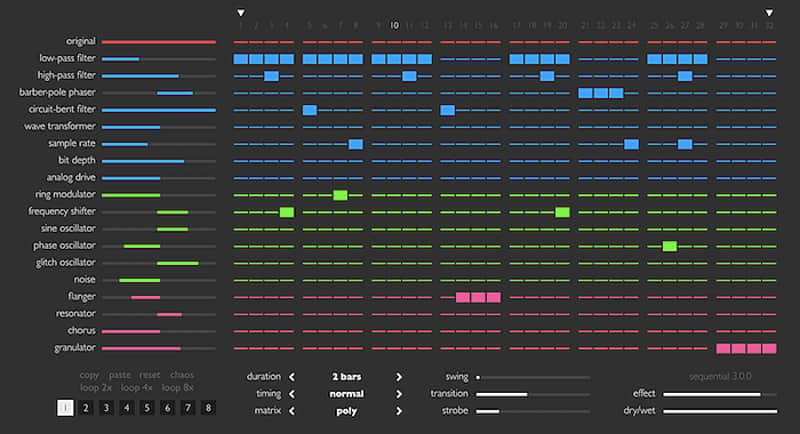
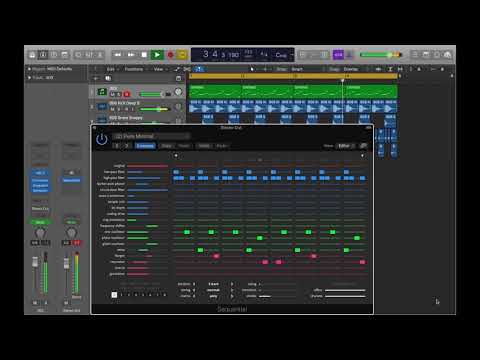
Sinevibes Sequential
This listing has ended
See similar gear from other Reverb sellers

Our users rate Reverb
What it is:
Beat synced modulators in an inviting sequencer package.
How we use it:
Pull up Sequential on any track, tap in the modulation steps, and watch the tracks come to life as it phases, glitches, and warbles through the sequence.
Why it's cool:
Whether there's a rhythm in your head or you want to try something new - Sequential's design makes it quick and easy to do both without any headaches.
Sequential is a dynamic multi-effect that allows you to trigger different processing and synthesis algorithms in a rhythmical fashion. It features a total of 19 fine-tuned effects that filter, distort, reshape, stutter and even generate audio – all with flexibility to add gentle spice or dramatically transform any material. The sequencer has a vast number of timing and shaping adjustments, while the whole plugin stores 8 separate parameter snapshots that can be automated or switched in real time.
As usual with Sinevibes software, Sequential has a clean, colour-coded interface which is extremely easy to use. With lively animations and instant responsiveness, it offers a really organic, natural user experience. Altogether, this makes Sequential an extremely capable and inspiring tool that completely re-architects loops, creates unique breaks, fills and transitions, or turns any static, lifeless sound into a dancing masterpiece.
SOUND ENGINE
- 14 effects processors: low-pass and high-pass filters, barber-pole phaser, circuit-bent filter, wave transformer, sample rate and bit depth reduction, analog drive, ring modulator, frequency shifter, flanger, resonator, chorus, granulator.
- 5 audio-controlled generators: sine oscillator, phase oscillator, glitch oscillator, shot noise, white noise.
- Step sequencer with up to 32 steps, variable duration, timing and swing.
- Eight full instance snapshots, multiple utility and randomization functions.
- Advanced transport sync algorithm with support for tempo and time signature automation.
- Color-coded graphics with subtle animations.
- Fully hardware-accelerated rendering with support for retina screen resolution.
Compatibility
- Works with any application that supports Audio Unit effect plugins.
- Supports OS X 10.6 or later running on 32 or 64 bit Intel Macs.
Installation Instructions
General Instructions:
- We auto-detect your computer operating system, so just click the download button above.
- Find the downloaded plugin (it's in your computer's download folder, or wherever you've chosen to save it) and double click the installer.
- A plugin installer window will open. Simply go through the installation process.
- We will also send you an email with a link to re-download in case you need it.
- If Ableton Live is closed, open it and skip to #5.
- If Ableton Live is already open, go to Preferences.
- Go to Files & Folder.
- Click "Rescan plugins".
- Find the plugin in the Ableton plugins folder in the sidebar.
- Drag-and-drop the plugin onto your track at the bottom of the screen.
- Open Logic Pro X. Newly installed plugins should be detected automatically every time Logic is opened.
- If you've downloaded an effect or utility plugin, these can be used on an insert for any track in the mixer.
- Create a software instrument track if you downloaded a virtual instrument plugin.
- Under Default Patch, go to AU Instruments and choose the plugin you just installed.
- Go to the Reverb SYNC Software and plugin Collection.
- Choose your desired plugin.
- Reverb will auto-detect your platform, so simply click the download button.
- Continue the installation process by following the prompt.
- Hover your mouse over the smart control button.
- Click Show Inspector icon.
- Click on plugins and choose your desired plugin.
What's new?
Sequential 3.1.1
• Added new “evolve” utility function that gradually randomizes effect matrix switches, individual effect parameters, gate and transition parameters.
• For consistency, the “chaos” utility function now fully randomizes the exact same parameters as “evolve” (i.e. omitting the sequencer parameters).
• The gate, transition, effect level and effect dry/wet sliders are now enabled to send automation events to the host.
• Fixed user interface not updating correctly as parameter automation is received from the host.
• Less obtrusive noise algorithm for plugin’s demo version.