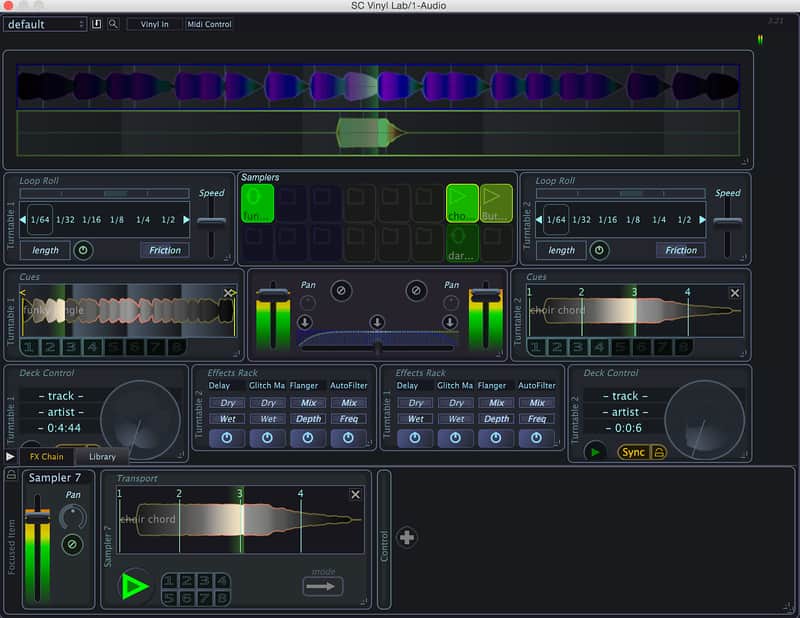
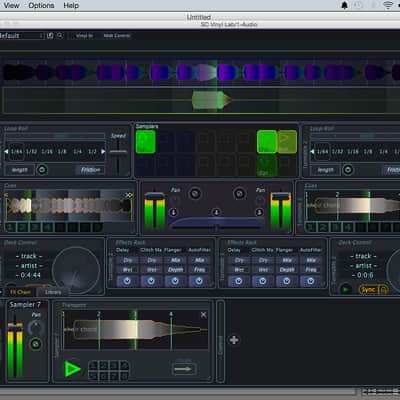
Stagecraft Vinyl Lab
Pricekr497.44
Instant Download
This listing has ended
See similar gear from other Reverb sellers
Listed:over a month ago
Views:1,181
Watchers:13
Offers:1

Chicago, IL, United States
Our users rate Reverb
Virtual DJing - Vinyl Lab allows you to mix, scratch, and play music like a traditional DJ with software.
What it is:
A Stagecraft take on DJ software. Allowing you to play multiple tracks on turntables at the same time with timecode vinyl.
How we use it:
Use to DJ with extra versatility than other DJ software out there and add extra flare to productions with plugin hosting capabilities.
Why it's cool:
Overlap and beat juggle many samples at once, quantize anything in master key.Vinyl Lab is our take on traditional DJ software. Like any professional DJ software, it allows you to browse and play beat matched tracks, mix, and loop. We take it to the next level too, by adding full VST/AU plugin hosting capabilities and effects chaining, in app online audio searching, and remixing to change the key and tempo of any track in your library (and export them).
In some ways Vinyl Lab is also far more versatile than existing DJ technology. You can, for example, customize the UI so you an get the layout you want, play multiple tracks on turntables at the same time, overlap and beat juggle many samples at once, and quantize virtually any parameter to be in time and in the master key (in real time). Quite simply, you have more control, and more options than with any other DJ software.
Features:
- 16 sample players, assignable to either of 2 turntables
- Timecoded vinyl support (all types of timecode supported), as well as CDJs
- Effects chaining with assignable parameters
- Fully midi mappable
- Host VST and Audiounit plugin effects
- Remix to any key and tempo - and export for use in other applications
- Run as Standalone (Mac or Windows) or as a VST or Audiounit plugin
- Mac or Windows, 32 or 64 bit
Compatibility
Mac - OSX 10.7 or newer 32 and 64-bit
Windows - Win7 or newer 32 and 64-bit
Installation Instructions
How to use installed plugins in Ableton Live: https://www.youtube.com/watch?v=N2VjFjUhlR4
What it is:
A Stagecraft take on DJ software. Allowing you to play multiple tracks on turntables at the same time with timecode vinyl.
How we use it:
Use to DJ with extra versatility than other DJ software out there and add extra flare to productions with plugin hosting capabilities.
Why it's cool:
Overlap and beat juggle many samples at once, quantize anything in master key.Vinyl Lab is our take on traditional DJ software. Like any professional DJ software, it allows you to browse and play beat matched tracks, mix, and loop. We take it to the next level too, by adding full VST/AU plugin hosting capabilities and effects chaining, in app online audio searching, and remixing to change the key and tempo of any track in your library (and export them).
In some ways Vinyl Lab is also far more versatile than existing DJ technology. You can, for example, customize the UI so you an get the layout you want, play multiple tracks on turntables at the same time, overlap and beat juggle many samples at once, and quantize virtually any parameter to be in time and in the master key (in real time). Quite simply, you have more control, and more options than with any other DJ software.
Features:
- 16 sample players, assignable to either of 2 turntables
- Timecoded vinyl support (all types of timecode supported), as well as CDJs
- Effects chaining with assignable parameters
- Fully midi mappable
- Host VST and Audiounit plugin effects
- Remix to any key and tempo - and export for use in other applications
- Run as Standalone (Mac or Windows) or as a VST or Audiounit plugin
- Mac or Windows, 32 or 64 bit
Compatibility
Installation Instructions
How to use installed plugins in Ableton Live: https://www.youtube.com/watch?v=N2VjFjUhlR4
- If Ableton Live is closed, open it and skip to #5.
- If Ableton Live is already open, go to Preferences.
- Go to Files & Folder.
- Click "Rescan plugins".
- Find the plugin in the Ableton plugins folder in the sidebar.
- Drag-and-drop the plugin onto your track at the bottom of the screen.
- Open Logic Pro X. Newly installed plugins should be detected automatically every time Logic is opened.
- If you've downloaded an effect or utility plugin, these can be used on an insert for any track in the mixer.
- Create a software instrument track if you downloaded a virtual instrument plugin.
- Under Default Patch, go to AU Instruments and choose the plugin you just installed.
- Open Pro Tools. Newly installed plugins should be detected automatically every time Pro Tools is opened.
- If you've downloaded an effect or utility plugin, these can be used on an insert for many types of tracks (Audio, Aux, Instrument, Master Fader...)
- If you’ve downloaded a software instrument, create a new Instrument track.
- Navigate to the Mixer and locate the newly created Instrument track.
- Select the desired instrument plugin by clicking on any of the Inserts on the Instrument track.
- Go to the Reverb SYNC Software and plugin Collection.
- Choose your desired plugin.
- Reverb will auto-detect your platform, so simply click the download button.
- Continue the installation process by following the prompt.
- Hover your mouse over the smart control button.
- Click Show Inspector icon.
- Click on plugins and choose your desired plugin.
| Brand | |
|---|---|
| Model |
|
| Categories |
Product safety information may be available here.