Mastering The Mix ANIMATE
Price€118.61
Incl. VAT
Instant Download
This listing has ended
See similar gear from other Reverb sellers
Listed:over a month ago
Views:637
Saves:8

Chicago, IL, United States
Our users rate Reverb
Fine tune the perfect flavor of punch and movement.
What it is:
A dynamic application for anyone interested in releasing high quality music.
How we use it:
Dial in a pristinely clean sounding upward expansion, giving audio a more dynamic range in a transparent way.
Why it's cool:
Simply put, ANIMATE injects life in your mix. ANIMATE
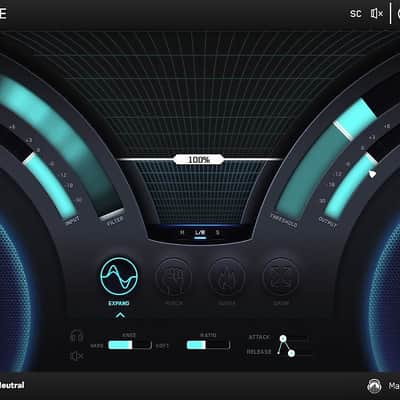
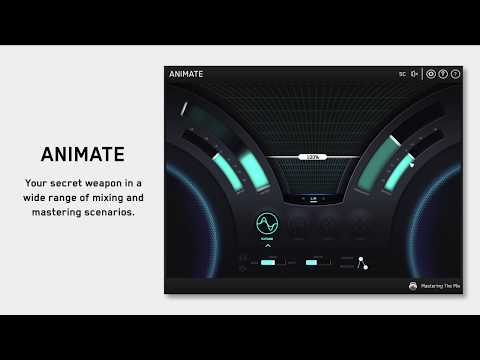
Inject life into your mixes in a precise, versatile and colorful way. With four different movement modes, each with individual frequency assignments and mid/side functionality, you’ll get your music jumping out of the speakers precisely how you want.
EXPAND
Expand mode allows you to dial in a pristinely clean sounding upward expansion. This increases the volume of signals over the threshold, giving your audio more dynamic range in a transparent way.
PUNCH
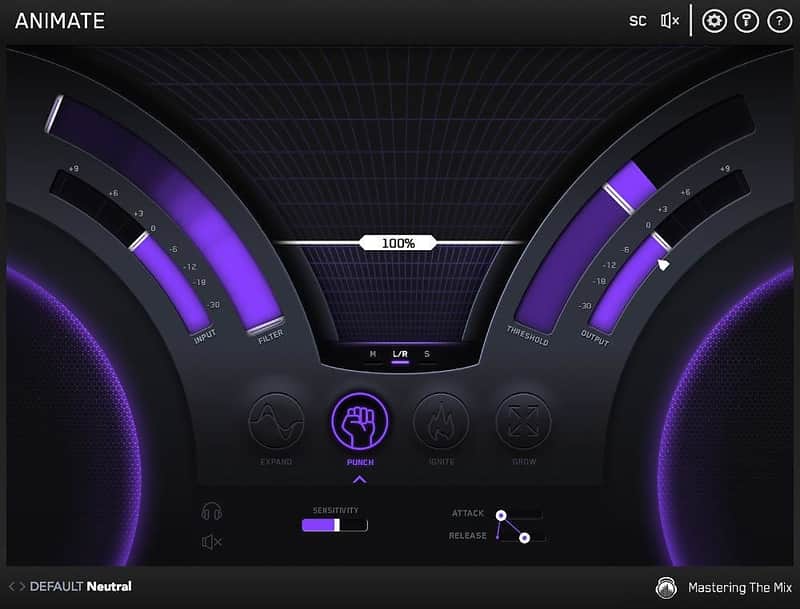
Punch mode enhances the transients of your audio to help them bite through the mix. Whether you want to subtly accentuate the high-frequency transients in the mid-channel of your master or bring out serious smack on an individual channel, Punch can handle the task.
IGNITE
Ignite mode allows you to dial in rich harmonic distortion in a dynamic way based on the input signal. Ignite can increase the perceived loudness, power and presence of a channel without the pumping effects of a compressor.
GROW
Grow mode lets you increase the width of the selected frequencies using a psychoacoustic precedence effect. Grow can be applied in a dynamic way meaning only the signal surpassing the threshold is widened. This along with the frequency selection gives you a new realm of movement to inject into your music.
Compatibility
Installation Instructions
Installation Instructions:
What it is:
A dynamic application for anyone interested in releasing high quality music.
How we use it:
Dial in a pristinely clean sounding upward expansion, giving audio a more dynamic range in a transparent way.
Why it's cool:
Simply put, ANIMATE injects life in your mix. ANIMATE
Inject life into your mixes in a precise, versatile and colorful way. With four different movement modes, each with individual frequency assignments and mid/side functionality, you’ll get your music jumping out of the speakers precisely how you want.
EXPAND
Expand mode allows you to dial in a pristinely clean sounding upward expansion. This increases the volume of signals over the threshold, giving your audio more dynamic range in a transparent way.
PUNCH
Punch mode enhances the transients of your audio to help them bite through the mix. Whether you want to subtly accentuate the high-frequency transients in the mid-channel of your master or bring out serious smack on an individual channel, Punch can handle the task.
IGNITE
Ignite mode allows you to dial in rich harmonic distortion in a dynamic way based on the input signal. Ignite can increase the perceived loudness, power and presence of a channel without the pumping effects of a compressor.
GROW
Grow mode lets you increase the width of the selected frequencies using a psychoacoustic precedence effect. Grow can be applied in a dynamic way meaning only the signal surpassing the threshold is widened. This along with the frequency selection gives you a new realm of movement to inject into your music.
Compatibility
- MAC - OS X 10.8 or higher. 32-bit or 64-bit AU, VST 2/3 or AAX host.
- Windows - Windows 7, 8 or 10. 32-bit or 64-bit VST 2/3 or AAX host.
Installation Instructions
Installation Instructions:
- AU: Ableton Live, Logic Pro, Cubase, Garage Band, Presonus Studio One and more.
- VST & VST3: Ableton, Ableton Live, Acid PRO, Cubase, Nuendo, FL Studio and more.
- AAX: Pro Tools
- To uninstall EXPOSE on Windows go to Control Panel then Programs and Features and locate the EXPOSE program from the list. Double click and follow the on-screen instructions.
- To uninstall EXPOSE (AU VST 2 & 3) on Mac, delete the file located at Macintosh HD / Library / Audio / Plug-Ins / Components or VST or VST3.
- To uninstall EXPOSE (AAX) on Mac, delete the file located at Macintosh HD / Library / Application Support / Avid / Audio / Plug-Ins AAX.
- After you have purchased EXPOSE, you will receive an email with a serial code in this format: XXXX-XXXX-XXXX-XXXX-XXXX-XXXX-XXXX. You must be online to activate EXPOSE, you can then use EXPOSE offline.
- Open EXPOSE in your DAW and click the KEY icon in the top right hand corner. This will open an authorization page where you can copy and paste your authorization key.
- Click ‘Authorize’, and you’re good to go! You will have one activation per license purchased.
| Brand | |
|---|---|
| Model |
|
| Categories |
Product safety information may be available here.