
Santa Fe Springs, CA, United States
About this listing
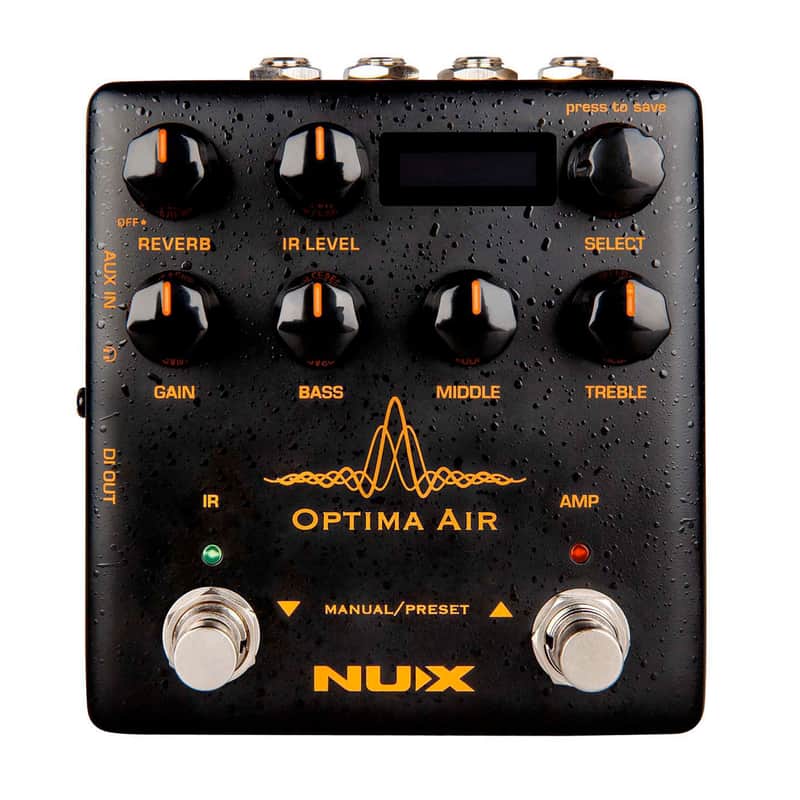
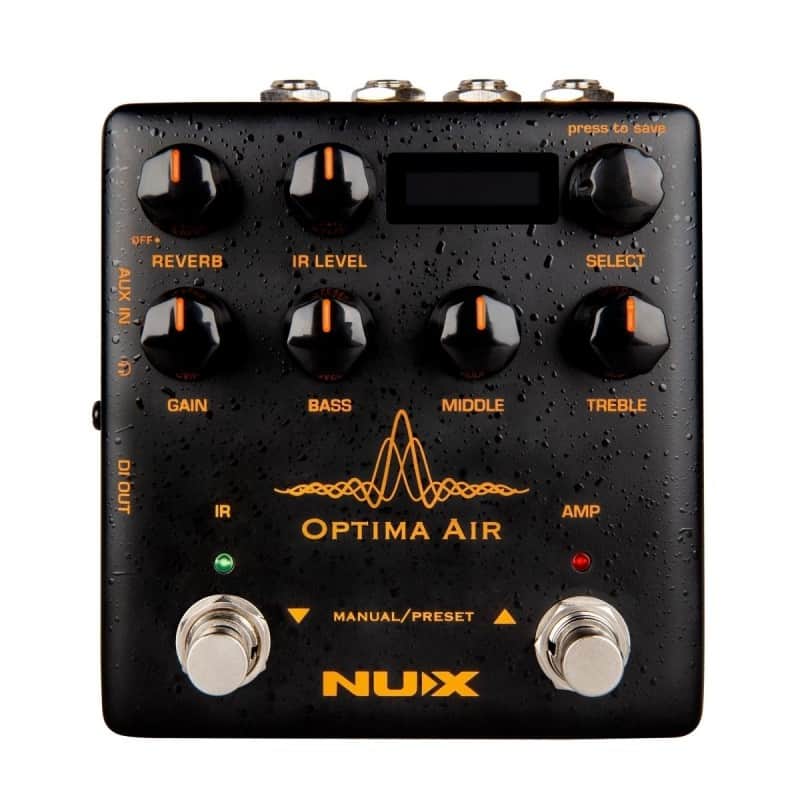
NUX Optima Air is a dual-switch acoustic guitar simulator with a preamp for acoustic and electric guitar players. It'simulates the acoustic guitar profiles with the best-optimized sound depending on your guitar and pickup type. IR loader combined with a preamp which is equipped with 3-band EQ and Gain controls. And there is an additional one-knob-control Reverb effect. If you want to connect any effect pedal you can use the SEND/RETURN effect loop and add the Optima Air into the signal chain. NUX Optima Air has a unique profile capture function, you can create your own acoustic guitar profile (IR file) by capturing your favorite acoustic guitar's sound. There is an XLR DI output for direct line/mixer connection, headphones output for silent play and auxiliary input to connect a music player to play along. Key Features 24-bit, 48-kHz Sampling Quality Acoustic Guitar Impulse Response and Pre-Amp controls 15 built-in acoustic guitar profiles with IR level control 9 Preset Slots Reverb effect Gain, Bass, Middle and Treble controls 6.35mm (1/4-inch) Send/Return, effects loop 3.5mm (1/8-inch) Auxiliary input 3.5mm (1/8-inch) Headphones input XLR DI Out Micro B USB Port for USB Audio Stream and EdIt'software Technical Specifications Reverb One Knob Reverb effect control. It adjusts the Dry/Wet and Decay parameters. Or you can turn it OFF by tweaking to 0 IR Level Adjusts the simulated signal (Impulse Response file) LEVEL Select (Push to Save) In manual mode, you can choose the IR file. And you can save your customized preset by pushing the knob Gain Adjusts the signal input Gain level 3-Band EQ Bass: Adjusts the low frequency level Middle: Adjusts the middle frequency level Treble: Adjusts the high frequency level IR Footswitch Manual Mode: Engage/disengage the selected IR file. Acoustic guitar simulation ON/OFF Preset Mode: Bank DOWN Also, if you are editing a preset, you can push the IR footswitch to exit without saving AMP Footswitch Manual Mode: Activates the pre-amp section. When you engage the AMP, you can use the Gain and the 3-band EQ Preset Mode: Bank UP Also, If you are editing a preset, while you changing the preset name you can push the AMP footswitch and move the cursor to the next selection area to choose a letter, number or symbol Input 6.35mm (1/4-inch) jack input Output 6.35mm (1/4-inch) jack output Send/Return 6.35mm (1/4-inch) effect loop inputs Micro B USB Port You can connect the pedal to your computer to use the Optima Air software to create, edit and save your presets. And update the pedal when a new firmware released. Power Input 9V Negative TIP power adapter input 3.5mm (1/8-inch) Auxiliary Input You can connect music player to play along with music 3.5mm (1/8-inch) Headphones Output For silent practicing or recording XLR DI Output For direct connection to mixer (or PA system)
Original Price$179
$24.54 price drop
New Price$154.46
Free Shipping
Free Shipping
from Santa Fe Springs, CA
14-Day Return Policy
Enjoy peace of mind with your new gear