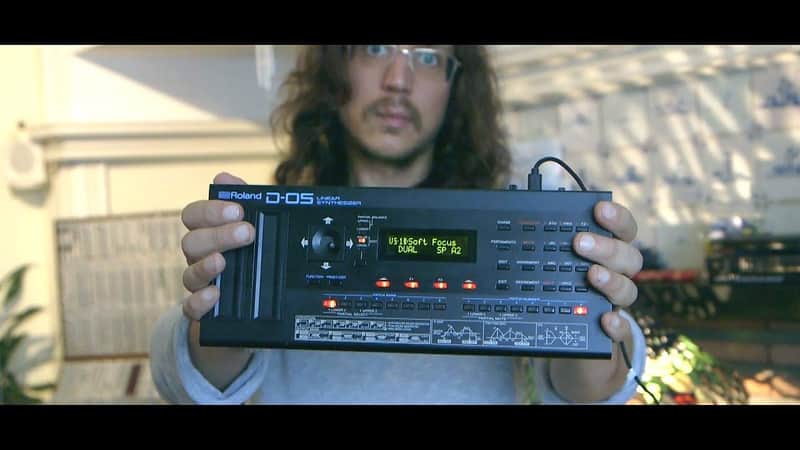
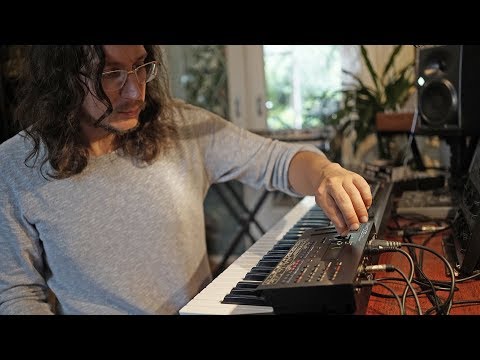
Legowelt Artist Patch For The Roland Boutique D-05 Linear Synthesizer
PriceFREE
Instant Download
This listing has ended
See similar gear from other Reverb sellers
Listed:over a month ago
Views:5,774
Saves:84
Downloads:273

Chicago, IL, United States
Legowelt x the Roland D-05 Linear Synthesizer.
What it is:
64 official Roland D-05 patches from Legowelt.
How we use it:
Breathe new life into the boutique series D-05.
Why it's cool:
Roland brings you top-tier sounds from one-of-a-kind synthesist Legowelt. Legowelt, a.k.a Danny Wolfers, is a one-of-a-kind synthesist who has created his own musical path that does not align with genres nor tradition. All Legowelt productions are filled with head-turning moments only capable through his wizardry of all things synthesizer.
We had the pleasure of sharing with him the Roland Boutique D-05 Linear Synthesizer - a compact reproduction of the Roland D-50 from the late 1980s, one of the most influential synthesizers ever produced.
In a matter of days, Legowelt had created a bank of 64 Artist Patches that could only come from his unique, creative space. This bank is a mix of punchy, percussive patches (suited to the D-05 in-built sequencer and arpeggiator) with dreamy, ambient pads to suit anything from deep techno to lo-fi hip-hop.
These patches have been made available for free for all Roland Boutique D-05 users. Click on the link below to download and add to your own sounds.
Installation Instructions
Data Backup
What it is:
64 official Roland D-05 patches from Legowelt.
How we use it:
Breathe new life into the boutique series D-05.
Why it's cool:
Roland brings you top-tier sounds from one-of-a-kind synthesist Legowelt. Legowelt, a.k.a Danny Wolfers, is a one-of-a-kind synthesist who has created his own musical path that does not align with genres nor tradition. All Legowelt productions are filled with head-turning moments only capable through his wizardry of all things synthesizer.
We had the pleasure of sharing with him the Roland Boutique D-05 Linear Synthesizer - a compact reproduction of the Roland D-50 from the late 1980s, one of the most influential synthesizers ever produced.
In a matter of days, Legowelt had created a bank of 64 Artist Patches that could only come from his unique, creative space. This bank is a mix of punchy, percussive patches (suited to the D-05 in-built sequencer and arpeggiator) with dreamy, ambient pads to suit anything from deep techno to lo-fi hip-hop.
These patches have been made available for free for all Roland Boutique D-05 users. Click on the link below to download and add to your own sounds.
Installation Instructions
Data Backup
- Connect your computer to the D-05's USB port via USB cable.
- While holding down the [FUNCTION] button, turn on the power.
- Open the "D-05" drive on your computer.
- The backup files are located in the "BACKUP" folder of the "D-05" drive.
- Copy the backup files into your computer.
- After copying is completed, eject the USB drive.
- Windows 10/8/7 Right-click on the "D-05" icon and execute "Eject."
- Mac OS Drag the "D-05" icon to the Trash icon in the Dock.
- Turn off the Power.
- Download the Legowelt Artist Patch file and extract the .zip file to find the "PATCH" folder of Patch data.
- Connect your computer to the D-05’s USB port via USB cable.
- While holding down the [FUNCTION] button, turn on the power.
- Open the "D-05" drive on your computer. The active D-05 patch and pattern files are located in the "RESTORE" folder of the "D-05" drive.
- Copy the "PATCH" folder from the extracted .zip file and move into the "RESTORE" folder of the "D-05" drive.
- After copying is completed, eject the USB drive and then press the [ENTER] button.
- After the LEDs have completely stopped blinking, turn off the power.